
NDIS Compliance for Australian Cloud Services: What IT Managers Need to Know
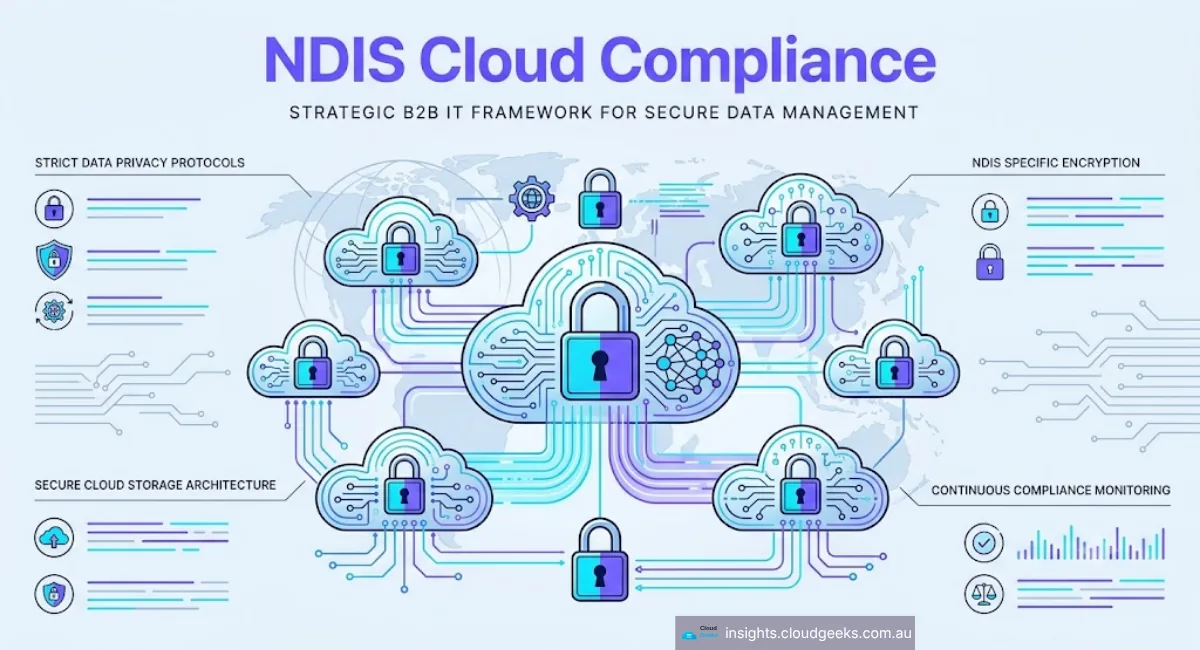
If your organisation is a registered NDIS provider, you already know the scheme carries serious obligations around participant data. What many IT managers and SMB owners don’t fully appreciate is how NDIS cloud compliance flows downstream into every cloud service, SaaS platform, and data storage decision you make — and how quickly a poorly configured environment can become a liability.
Get it wrong and you’re not just dealing with an internal audit — you’re potentially facing deregistration, civil penalties under the Privacy Act, and reputational damage that takes years to rebuild. This guide walks through exactly what NDIS cloud compliance means for your environment, what the Australian government expects, and the practical steps to get your stack in order.
Why NDIS Cloud Compliance Is Every IT Manager’s Responsibility
The National Disability Insurance Scheme collects and processes some of the most sensitive personal information in Australia: health records, behavioural assessments, support plans, financial details, and information about minors. The NDIS Quality and Safeguards Commission (NDIS Commission) holds registered providers directly accountable for how that data is handled — including by third-party technology vendors.
Under the NDIS Practice Standards and the Privacy Act 1988 (Cth), “storing data in the cloud” is not a safe harbour. You remain the data controller. If your cloud provider suffers a breach, or if participant data is processed outside Australia without appropriate safeguards, the liability sits with your organisation — not AWS or Microsoft.
This is a meaningful shift from how many SMBs think about their cloud provider relationships. Your IT decisions are compliance decisions.
NDIS Cloud Compliance: Three Core Requirements
1. Australian Data Sovereignty
Participant data must be stored and processed in Australia unless you have explicit consent and specific contractual protections in place for offshore processing. In practice, the simplest and safest approach is to lock all workloads to Australian regions.
Every major hyperscaler offers local regions:
- AWS:
ap-southeast-2(Sydney) - Azure: Australia East (Sydney), Australia Southeast (Melbourne)
- Google Cloud:
australia-southeast1(Sydney),australia-southeast2(Melbourne)
The critical catch is replication and backup. Some services replicate to overseas regions by default. Azure Blob Storage, for example, may use geo-redundant storage (GRS) that replicates to a paired region outside Australia unless you explicitly select Locally Redundant Storage (LRS) or Zone-Redundant Storage (ZRS) with an Australian pairing.
Review every service in your stack — object storage, databases, AI/ML services, log management — and confirm the data residency setting. Document it. That documentation is what you hand to an auditor.
2. Security Standards Alignment
The NDIS Commission expects security practices consistent with the Australian Government’s Information Security Manual (ISM) and the ACSC’s Essential Eight framework. For cloud workloads, this translates to several concrete controls:
Encryption
- Data at rest: AES-256 minimum, using customer-managed keys (CMK) where feasible
- Data in transit: TLS 1.2 or higher, no legacy ciphers
- Key management: AWS KMS, Azure Key Vault, or Google Cloud KMS with documented rotation schedules
Access Control
- Multi-factor authentication (MFA) enforced for all admin accounts — no exceptions
- Role-based access control (RBAC) with least-privilege principles
- No shared credentials; individual accounts for each staff member
- Privileged Identity Management (PIM) for elevated access, with time-limited elevation on Azure
Audit Logging
- Comprehensive audit trails for all access to participant data
- Log retention for a minimum of 7 years (aligned with NDIS record-keeping requirements)
- Tamper-evident logging: AWS CloudTrail with S3 Object Lock, Azure Monitor with immutable storage
Patch Management
- Operating systems and runtime environments patched within 48 hours of critical patches (Essential Eight Maturity Level 2)
- Automated patching via AWS Systems Manager Patch Manager or Azure Update Management
3. Third-Party Vendor Assessment
Many NDIS providers use SaaS products — practice management systems, care planning tools, invoicing platforms — on top of their cloud infrastructure. Each vendor is a sub-processor of participant data. You are responsible for assessing their security practices.
At minimum, request:
- Current ISO 27001 or SOC 2 Type II certification
- Data Processing Agreement (DPA) specifying Australian data residency
- Evidence of penetration testing within the past 12 months
- Incident notification SLA (Australian law requires notification within 30 days of becoming aware of an eligible data breach under the Notifiable Data Breaches scheme)
If a vendor can’t produce these, that’s not a minor gap — it’s a disqualifying finding.
NDIS Cloud Compliance Checklist for Australian SMBs
You don’t need an enterprise security team to achieve NDIS cloud compliance. Here’s a realistic implementation sequence for organisations with 5–50 staff:
Month 1: Baseline Audit
- Map all data flows: Where does participant data enter your systems? Where is it stored, processed, and transmitted? Tools like Microsoft Defender for Cloud (free tier available) or AWS Security Hub provide automated discovery.
- Confirm region settings: Log into every cloud console and verify data residency for each service.
- Audit user accounts: Identify shared credentials, dormant accounts, and accounts without MFA.
Estimated cost: $0–$500 in tooling. Time investment: 8–16 hours.
Month 2: Remediate Critical Gaps
- Enable MFA organisation-wide: Microsoft Entra ID (formerly Azure AD) Conditional Access policies or AWS IAM Identity Centre make this straightforward. Budget: included in Microsoft 365 Business Premium ($28.10 AUD/user/month) or AWS IAM at no additional cost.
- Implement CMK encryption for databases and object storage containing participant records.
- Configure immutable audit logs: Enable AWS CloudTrail with S3 Object Lock (compliance mode) or Azure immutable blob storage. Storage cost: approximately $3–$8 AUD/month per 100 GB.
Month 3: Documentation and Vendor Review
- Complete an Information Security Policy: Document your controls. The NDIS Commission may request evidence of documented policies during registration renewal.
- Review all SaaS vendors: Use the checklist above. Replace non-compliant vendors before renewal.
- Schedule annual penetration testing: Australian pen test providers typically charge $3,000–$8,000 AUD for a scoped SMB engagement.
Common NDIS Cloud Compliance Mistakes
Assuming your cloud provider “handles compliance”: AWS, Azure, and GCP operate a shared responsibility model. The cloud provider secures the infrastructure. You secure everything you run on it — configuration, data, identities.
Ignoring SaaS platforms: Many breaches happen not in the primary cloud environment but in loosely integrated SaaS tools. A poorly configured practice management platform is as much a risk as a misconfigured S3 bucket.
No incident response plan: The Notifiable Data Breaches scheme requires you to notify the Office of the Australian Information Commissioner (OAIC) and affected individuals when a breach is likely to cause serious harm. Without a documented response plan, you’ll scramble at the worst possible time. Draft one now; it takes two hours and costs nothing.
Outdated access reviews: Staff turnover is high in disability support services. Quarterly access reviews — who can access what, and is it still appropriate — are non-negotiable.
How Cloud Geeks Can Help
For NDIS providers in Western Sydney — Parramatta, Castle Hill, Bella Vista, and the broader Hills District — we regularly assist organisations with:
- Cloud security baseline assessments aligned to the NDIS Practice Standards and Essential Eight
- Azure and AWS architecture reviews with data residency lock-in
- Microsoft 365 hardening including Conditional Access, Intune device management, and Defender for Business
- Vendor security assessments for common NDIS SaaS platforms
Most SMBs can achieve a defensible compliance posture within 90 days and under $5,000 AUD in tooling and services — considerably less than the cost of a single compliance incident.
The Bottom Line
NDIS cloud compliance comes down to three things: keep participant data in Australia, apply the security controls the ACSC recommends, and hold your vendors to the same standard you hold yourself.
None of this is technically complex. What it requires is intentional configuration, proper documentation, and regular review. For organisations that have built their cloud environments organically — adding services as needed without a compliance lens — a structured audit is the starting point.
If you’re unsure where your organisation stands, reach out for a no-obligation cloud compliance assessment. The NDIS Commission is increasing audit activity in 2025 and 2026, and the time to find your gaps is before they do.
Frequently Asked Questions About NDIS Cloud Compliance
What cloud regions should NDIS providers use to meet Australian data sovereignty requirements?
NDIS providers must store and process participant data in Australian cloud regions. AWS uses ap-southeast-2 (Sydney), Azure offers Australia East (Sydney) and Australia Southeast (Melbourne), and Google Cloud provides australia-southeast1 (Sydney). Confirm that replication and backup settings are also locked to Australian regions — some services replicate offshore by default.
Does NDIS cloud compliance apply to SaaS tools used by registered providers?
Yes. NDIS cloud compliance obligations extend to every SaaS platform that processes participant data, including practice management systems, care planning tools, and invoicing software. As the data controller, your organisation is responsible for each vendor’s security practices, data residency commitments, and breach notification procedures — regardless of which underlying cloud platform they use.
What security framework should NDIS providers follow for cloud services?
NDIS providers should align cloud security with the Australian Government’s Information Security Manual (ISM) and the ACSC’s Essential Eight framework. This means enforcing MFA on all admin accounts, applying AES-256 encryption with customer-managed keys, maintaining immutable audit logs for at least 7 years, and patching critical vulnerabilities within 48 hours — consistent with Essential Eight Maturity Level 2.
How much does NDIS cloud compliance cost for a small NDIS provider?
Most Australian SMBs with 5–50 staff can achieve a defensible NDIS cloud compliance posture within 90 days and under $5,000 AUD. Core costs include Microsoft 365 Business Premium ($28.10 AUD/user/month for MFA and Defender for Business), immutable audit log storage ($3–$8 AUD/month per 100 GB), and an annual penetration test ($3,000–$8,000 AUD for a scoped SMB engagement).
Last updated: April 2026. Cloud Geeks provides cloud infrastructure and IT advisory services to Australian SMBs, with specialist experience in healthcare and disability sector compliance. We operate across Sydney, Parramatta, Castle Hill, and the Hills District. Contact us to discuss your NDIS compliance requirements.
Need mobile access to your cloud systems? Our app development team at Awesome Apps builds iOS and Android apps for Australian businesses. Ashish Ganda is the founder of Ganda Tech Services, a Sydney-based technology consultancy helping Australian businesses grow through cloud, web, and mobile solutions.